> For the complete documentation index, see [llms.txt](https://docs.ket-dev.eu/llms.txt). Markdown versions of documentation pages are available by appending `.md` to page URLs; this page is available as [Markdown](https://docs.ket-dev.eu/getting-started/branding/presets.md).
# Presets
After installing the theme, you'll need to customize it to suit your needs. This is done through the Customizer, which contains all settings for the theme. These are divided into two main groups: **Theme Settings** and **Section Settings**. For now, focus on the more global **Theme Settings**.
Our themes come with various presets that include predefined configurations within **Theme Settings**. Before making any changes, we recommend selecting a preset to start with. Keep in mind that switching presets will overwrite multiple values in your current **Theme Settings**. Starting with a preset helps avoid mistakes—something even our novice team members have experienced!
> "I lost my settings when I changed preset!"
>
> *Our support team member*
### Preset selection
Theme settings > Theme style
### **Color Schemes**
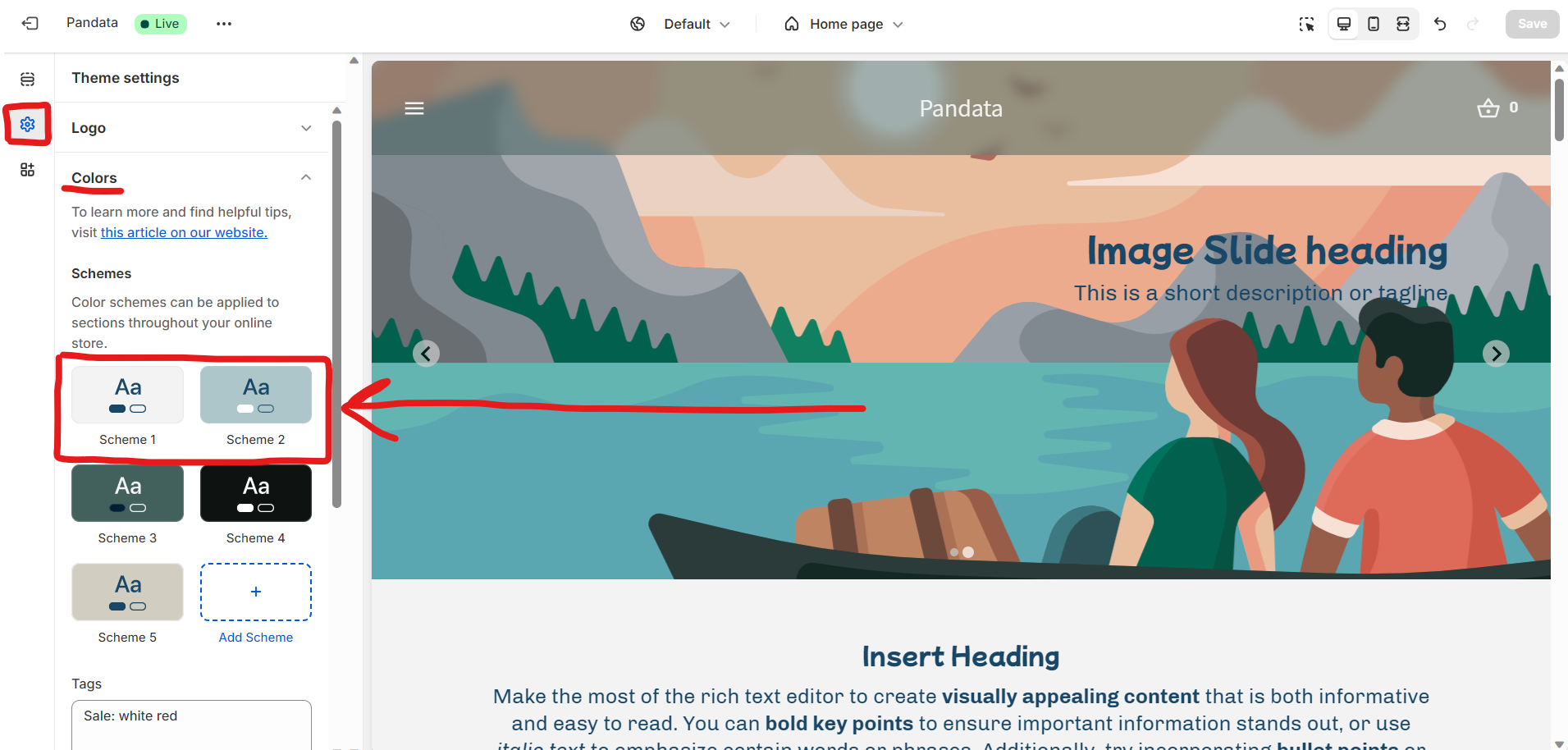
The most noticeable change when selecting a different preset is the shift in colors. Our themes rely heavily on color schemes. You can modify the predefined schemes (which come with the preset) or create your own. These schemes can then be applied to different sections and include color settings for every element—from foreground and background to buttons, labels, and more.
When customizing color schemes, keep in mind the importance of maintaining strong contrast between text and background, as well as between labels, buttons, and their backgrounds for readability and clarity.
{% hint style="info" %}
We recommend starting by modifying the first and second color schemes to serve as your default and inverted default options. These two schemes are essential for creating a cohesive design, with the default used for your primary look and the inverted version offering a contrasting alternative.
{% endhint %}
.png?alt=media&token=a371e5a4-319c-4581-a793-a387b9d0cf43)